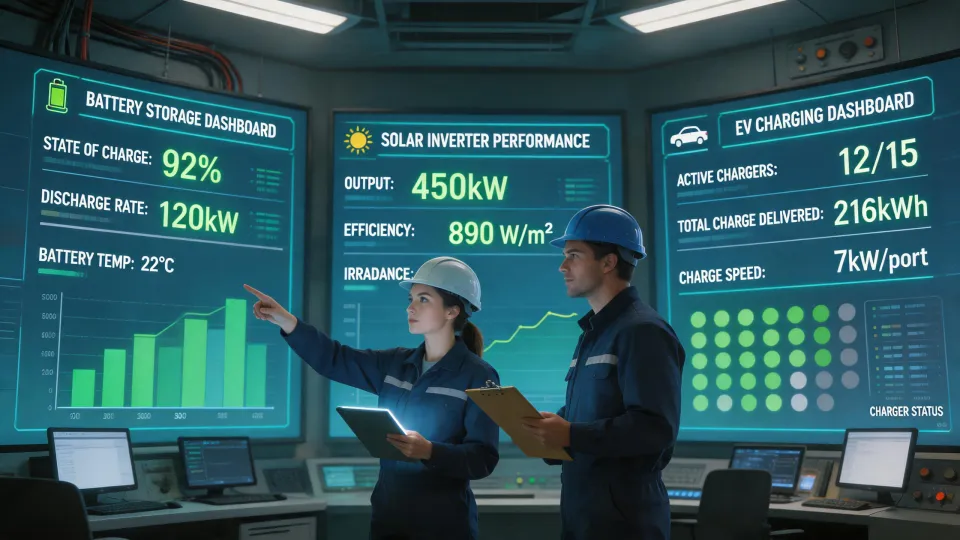
Last spring, I spent a Tuesday morning on a commercial roof, doing what I do most days: staring at electrical connections and trying not to flinch. I'm the quality inspector for a renewable energy equipment distributor, and on that day, we were certifying a combined solar and storage system built around two Huawei Sun2000 inverters, a Luna2000 battery stack, and a Huawei Wallbox EV charger.
It wasn't going well.
The inverter was fine. The battery was fine. The problem was the paperwork and the drawings. And by evening, the conversation had drifted into one of those questions I hear over and over: Can you plug a UPS into a surge protector?
How I Start an Inverter Check
First, I pull the cover off the DC disconnect and check the torque on every terminal. Loose connections cause more failures than bad components. Then I check the string configuration on the Sun2000. One string had six panels; another had ten. That's not necessarily wrong, but the installer hadn't marked the MPPT inputs on the drawing. Without a clear label, the next technician will have to trace every wire from scratch. That's where the questions start.
I asked the project manager to send me an easy solar system drawing. Not a full engineering plan—just a block diagram showing each solar string, the combiner boxes, the inverter inputs, and the AC output. He looked at me like I'd asked for a Shakespearean sonnet. But a simple drawing like that prevents a thousand small mistakes.
The Huawei Solar Inverter Specs and Reality
One thing I like about the Huawei solar inverter series is the built-in health check. After the system has run for a few days, it generates a report showing IV curves, string impedance, and thermal behavior. In this case, the health check flagged a discrepancy in one string: the voltage readings suggested a panel was underperforming. The installer wanted to ignore it, but I told them to investigate. It turned out to be a loose MC4 connector—an easy fix, but one that would have wasted hours later.
This is also where I admit something: I don't know why Huawei doesn't force installers to complete a startup report before enabling the monitoring portal. Maybe they do for enterprise projects, but our contractor somehow got it working without one. My best guess is that the dealer portal has a loophole for provisional activation. That's a guess, though—I've never had a clear answer.
The Huawei Wallbox and the CT Clamp Problem
The Huawei Wallbox was still in its box when I arrived. The concrete pad wasn't cured, so mounting would happen the next day. But the installers had already mounted the CT clamp—the current transformer that measures household load—in the main panel, then they said they planned to skip the communication cable to the charger because it seemed optional. That cable is the whole point. The Wallbox can adjust charging based on real-time solar production and house consumption, but only if it receives that signal. Without it, you get a dumb charger, not a smart one.
I've seen this more often than I'd like. People focus on the physical mounting and ignore the data wiring. Maybe that's a side effect of every product being wireless these days—but this one isn't.
The UPS and Surge Protector Question
While the installers were waiting for the pad to cure, one of them asked the question that probably lives in Google's search logs: can you plug a UPS into a surge protector?
Short answer: usually yes, but it's not necessarily a good idea.
Most UPS units already have internal surge suppression. Plugging one into another surge protector adds a second layer, but it also adds another component that can fail and trip the UPS input. If the surge protector is a cheap strip, it could cause more problems than it solves. If you have a proper Type 2 surge arrester at the panel, you don't need a second one on the rack. In a solar installation, the same principle applies: install a properly rated surge protection device at the AC output of the inverter, and don't daisy-chain consumer power strips for critical equipment.
That's a nuanced answer. Nobody likes nuance on a job site.
Renogy Charge Controller Side Quest
That week, a separate smaller project also crossed my desk: a homeowner wanted to power a shed with a couple of used solar panels. They'd selected a Renogy 40A MPPT solar charge controller, which is a reasonable choice for a small 12V system. I reviewed the datasheet before approving it.
But the real lesson came from a previous customer. They tried to use the Renogy controller to power an AC appliance directly, because they thought the term inverter in the product name was interchangeable. The charge controller converts DC to regulated DC for battery charging. It does not generate AC. The customer got no output and assumed the unit was broken. It wasn't—it just wasn't the right device for that job.
That kind of confusion is why I always write out the full name: the Renogy 40A MPPT solar charge controller is a charger, not an inverter. It's a good product in its lane. But its lane is narrower than people expect.
The Drawing That Saved the Project
Back to the commercial site. After the CT clamp conversation, the project manager asked for a drawing they could hang on the wall. I spent ten minutes with a ruler and a marker. I sketched two strings into the Sun2000, the Luna2000 connected on the DC side, the Wallbox on the AC side, and the CT clamp as a little box on the main feed. It wasn't beautiful. It was useful.
That's what I mean by an easy solar system drawing. You don't need fancy software. You need to show the flow of power and the labels on the wires. The next technician, the inspector, and the electrician all want the same thing: a map that doesn't lie.
What Actually Happened
The system passed inspection, but only after we fixed the MC4 connector, re-ran the CT communication cable, and labeled every string input on the drawing. No hardware had to be replaced. The Huawei components were solid—the Sun2000 efficiency ratings held up in the performance test, and the Wallbox talked to the battery once it had the right wiring.
Looking back, I should have insisted on seeing the drawing before the installers started. The delay cost us a day, and the rework cost the contractor money. But given the schedule pressure they were under, I understand why they jumped in early. They were lucky it was caught during inspection, not after the customer noticed.
That's the lesson I carry from this project: equipment specs matter, but installation discipline matters more. The Huawei solar inverter, the Huawei Wallbox, the Renogy charge controller, the UPS, the surge protector—they all follow the same physical rules. Read the manual, draw it out, and verify the connections.
Quality is not about the brand name. It's about attention to detail.
Ask a related engineering question