If you're like me—an office administrator who suddenly gets told 'we need solar panels and batteries'—it's easy to feel lost. I've been managing purchasing for our mid-sized company for about five years now, and when the operations director asked me to look into solar and storage for our main building, my first thought was: 'Where do I even start?'
After going through this process twice (once for our HQ and once for a satellite office), I've got a checklist that saved me from making some expensive mistakes. Here are the six steps I follow now. They work whether you're looking at a 5 kW system or a 30 kWh battery setup.
Step 1: Figure Out What You Actually Need (Not Just What the Rep Tells You)
Salespeople will talk about watts, kilowatts, and megawatts like they're giving you a stock tip. Don't let them set the agenda. Before I talk to any vendor, I ask our facilities manager three questions:
- What's our peak power draw? (Look at your electric bills from the last 12 months.)
- What equipment do we want to back up if the grid goes down? (Fridges? Servers? Just the lights?)
- Do we want to sell power back to the grid, or just use it for ourselves?
For our 30 kWh solar system project, I started with those answers. It took 30 minutes to pull the data from our utility portal. That simple step meant I didn't waste time looking at systems that were too small or unnecessarily huge.
Quick check: If you don't have this info yet, your first step isn't calling a vendor—it's finding your electric bills.
Step 2: Check the Inverter Specs (This Is Where People Get Slicked)
It's tempting to think you can just compare wattage and price. But identical-looking specs from different vendors can result in wildly different outcomes. I learned this the hard way when I almost went with a Microtek solar inverter because the price looked great—until I noticed its maximum input voltage was way lower than our panel array would produce.
Things I now look for in an inverter (like the Huawei Sun2000 series):
- Maximum DC input voltage (must exceed your solar panel string voltage)
- Number of MPPT trackers (more = better for partial shade)
- Efficiency rating (most good ones are >97%)
- Is it a hybrid inverter? (Can it manage batteries and solar?)
If you're looking at a 30 kWh solar system, make sure the inverter can handle the DC input from all those panels. A lot of budget inverters will claim compatibility but then clip power on sunny days.
Step 3: Verify Battery Compatibility (Don't Assume They Play Nice)
This is the step I see most admin buyers skip. They pick a solar inverter from one company, batteries from another, and then wonder why the system doesn't work properly. Not all batteries speak the same language as all inverters.
For example, if you're looking at a LiFePO4 battery (like a Luna2000 or similar), you need to check:
- Voltage range: Does it match the inverter's battery input range?
- Communication protocol: Can the inverter talk to the battery's BMS? (CAN bus? RS485? Some proprietary thing?)
- Charge/discharge current limits: Will the inverter try to push more current than the battery can take?
A colleague of mine bought a third-party LiFePO4 battery for his office because it was 20% cheaper. The inverter couldn't read its state of charge properly, so the system kept shutting down at random times. He spent three months troubleshooting before swapping it out. The 'savings' evaporated.
My rule: If the vendor can't provide a compatibility matrix in writing, move on.
Step 4: Factor in the Hidden Costs (They Add Up Fast)
From my perspective, this is where a lot of buyers get burned. The equipment price looks good until you add up:
- Shipping and handling (especially for batteries—they're heavy and hazardous)
- Mounting hardware and racking
- Permitting and inspection fees (these vary wildly by jurisdiction)
- Electrical panel upgrades (often needed)
- Wiring, conduit, and disconnect switches
For our 30 kWh system, the 'extras' added about 15% to the total cost. That wasn't a surprise because I'd asked upfront, but I've seen colleagues get blindsided.
I've learned to ask 'what's NOT included' before 'what's the price.' The vendor who lists all fees upfront—even if the total looks higher—usually costs less in the end.
Step 5: Test the Customer Support (Before You Buy)
This sounds counterintuitive, but I do a 'support test' before committing to any big-ticket item. I'll email their support team with a semi-technical question and see how long they take to respond. I'll call their sales line and see if I get a human or a voicemail maze.
Why? Because when a $5,000 inverter fails, or a battery won't communicate, I need someone who can help now, not 'within 48 business hours.'
Last year, I was evaluating a Wallbox EV charger for our parking lot. I emailed one brand a question about network requirements at 10 AM. Got a reply in 4 hours—detailed, helpful. Another brand took 3 days. Guess which one we chose?
Quick check: If they're slow before they have your money, they'll be slower after.
Step 6: Verify the Array Setup (If You're Doing a Hybrid System)
This is the step the installers usually handle, but I've learned to double-check. If you're pairing solar panels with a battery (like a Luna2000 or any LiFePO4 battery), the way the solar array is configured matters.
Things I check now:
- String voltage: Does it stay within the inverter's MPPT range?
- Panel orientation and tilt: Are they optimized for your latitude?
- Shading analysis: Are there trees or buildings that'll cause partial shading?
A site survey is worth the money. I know it's an extra expense, but it's cheaper than finding out your system underperforms by 30% because of a shading issue you didn't notice.
One More Thing: The App Experience Matters
I know this sounds trivial, but in my experience, the app is how your internal stakeholders (the folks who approve budgets) will interact with the system. If the app is clunky, they'll think the whole system is clunky.
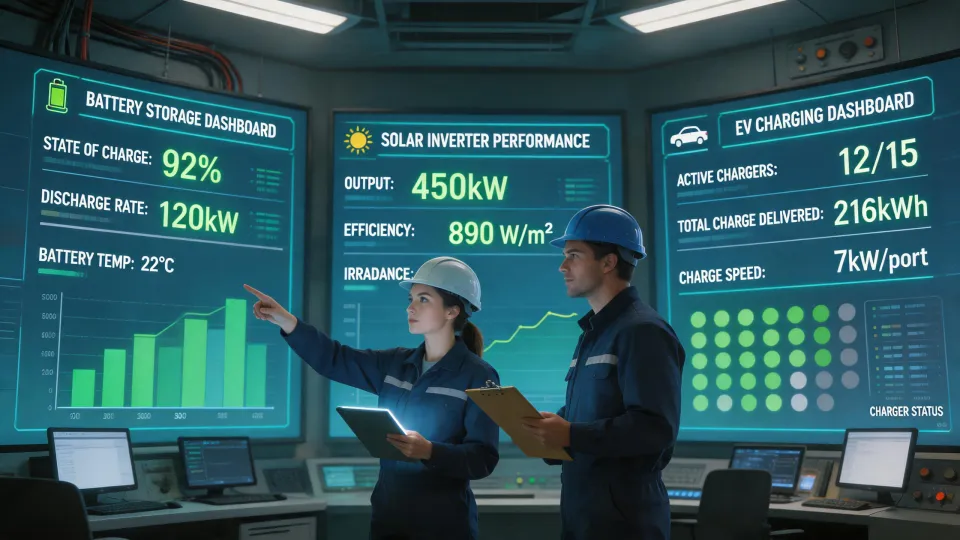
When we chose our system, part of the reason we went with a Huawei setup was that the Huawei app (FusionSolar) was actually usable. The dashboard showed real-time generation, battery status, and consumption. That made my life way easier because I could answer the finance director's questions in 30 seconds instead of pulling log files.
So before you finalize anything, download the companion app and check it out. If it looks like it was designed in 2005, keep looking.
Bottom Line
To test a LiFePO4 battery—or any component in your system—you need to verify compatibility early, ask about all costs upfront, and check support responsiveness. A 30 kWh solar system isn't cheap, and rushing the selection process will cost you in the long run.
If you're just starting this process, print out these six steps. Go through them one by one. It'll save you the headache I had during my first solar project.
Ask a related engineering question